
(Prefer videos? Watch a brief summary of this article below.)
At a Glance
- Main goal: Find delays, blind spots, unsafe movements, and manual work before they become daily costs.
- Audit scope: Review gate flow, space use, trailer tracking, docks, communication, safety, and system support.
- Best cadence: Run a quick monthly review and a full warehouse yard assessment each quarter.
- Key metric: Track dwell time from gate arrival to departure, not just loading time.
- Biggest risk: Poor yard visibility turns simple moves into searches, queues, calls, and dock idle time.
- Best outcome: A clear action plan that improves supply chain efficiency without adding more staff.
A warehouse yard audit checklist should answer one hard question: where does control break down between the gate, trailer area, dock, and warehouse floor? Use this checklist to expose delays, improve yard management, and make every move measurable.
Why Regular Yard Audits Matter
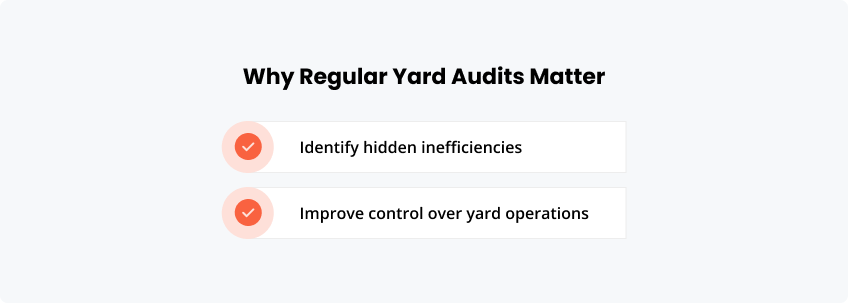
Regular reviews show what daily routines hide. They turn “we are busy” into precise evidence: where trucks wait, where trailers sit, and where teams lose time.
Start with dwell time, missed appointments, search time, and duplicate data entry. These small leaks often cause the biggest drag on logistics operations.
Improving control over yard operations
Control improves when every arrival, movement, dock assignment, and exit has an owner. The U.S. Bureau of Labor Statistics reported 865 fatal work injuries in transportation and warehousing in 2024, which makes yard safety a business priority, not just a compliance topic.
How to Use This Yard Audit Checklist
Use the checklist during a live shift, not only in a meeting room. Walk the site, interview teams, compare system data with reality, and score each gap.
Who should perform the audit?
Include operations, security, transport planning, warehouse leads, safety, and IT. A logistics yard audit fails when it becomes one department’s opinion.
How often to review yard performance
Review core metrics monthly. Run a deeper yard performance checklist quarterly, then after peak season, layout changes, or major carrier changes.
| Review area | Light check | Full check |
|---|---|---|
| Gate flow | Monthly | Quarterly |
| Dock scheduling | Monthly | Quarterly |
| Space use | Monthly | Quarterly |
| Safety records | Monthly | Quarterly |
| System data quality | Weekly | Quarterly |
Gate Operations Audit Checklist
The gate sets the tone of the whole visit. If entry is slow, every downstream team starts late.
Are truck arrivals scheduled in advance?
Check whether carriers arrive against a planned slot. Unscheduled arrivals create yard congestion and push dock teams into reactive mode.
Is driver check-in fast and standardized?
Measure the check-in process in minutes. Digital pre-registration, QR/PIN sign-in, and self-service flows through a visitor management system can reduce repetitive guardhouse tasks.
Are queues forming at entry points?
Record queue length by hour. A five-truck line at 7:30 may reveal a scheduling problem, not a gate staffing problem.
Is vehicle identification accurate?
Compare plates, driver IDs, carrier details, trailer numbers, and appointment records. Bad identification creates bad trailer tracking.
Standardize driver check-in with digital workflows, vehicle identification, and access records.
Yard Layout and Space Utilization
A clear layout shortens movement and reduces conflict. Marked zones make the outside area easier to control, audit, and scale.
Is the yard layout clearly defined?
Map inbound lanes, outbound lanes, empty trailer zones, loaded trailer zones, waiting areas, pedestrian paths, and restricted areas.
Are parking zones organized and labeled?
Labels must be visible in bad weather and low light. Use simple codes that match your system and radio language.
Is space used efficiently?
Count blocked bays, dead corners, and trailers parked “just for now.” Temporary habits become permanent capacity loss.
Are there congestion hotspots?
Identify recurring pinch points. Look at turns, barrier arms, pedestrian crossings, and areas where shunters reverse often.
Trailer Tracking and Visibility
You cannot optimize what your team must search for. Visibility starts with knowing the location, status, owner, and next task.
Can you locate any trailer in real time?
Randomly select five trailers and time the search. Real-time tracking should beat phone calls, radio checks, and walking the lot.
Are trailer statuses clearly defined?
Use plain statuses: arrived, waiting, at dock, loaded, empty, held, damaged, ready to exit. Avoid vague labels.
Is tracking manual or automated?
Manual updates work until volume rises. Then delays appear as spreadsheet errors, missing timestamps, and arguments over “last seen.”
How long does it take to find a trailer?
Set a target. If searches take more than a few minutes, yard visibility is already costing dock time.
Dock Operations and Coordination
Dock flow depends on the accuracy of gate, trailer, labor, and warehouse information. One bad handoff can freeze a door.
Are dock assignments planned?
Dock scheduling should connect appointment time, load type, equipment, labor, and priority. Planning at the door is too late.
Is there alignment between the yard and warehouse teams?
Check whether both teams see the same status. If one uses a system and the other uses a whiteboard, friction is guaranteed.
Are delays at the docks frequent?
Track why delays occur: late trailer, missing paperwork, product not ready, no labor, blocked door, or carrier issue.
Is dock utilization optimized?
High utilization is not always healthy. A door at 98% may leave no buffer for exceptions.
Yard Processes and Communication
Processes must be boring, visible, and repeatable. If every shift invents its own shortcuts, the yard operations audit will find variation everywhere.
Are processes standardized?
Document the normal flow from appointment to exit. Then compare it with what actually happens on the ground.
Is communication between teams clear?
Radio calls, emails, spreadsheets, and chat groups create noise. Define which channel owns each update.
Are manual steps causing delays?
List every rekeyed field. Driver name, plate, carrier, seal, dock, and departure time should not be typed three times.
Are responsibilities clearly defined?
Every task needs an owner. “Operations” is not an owner; a role, shift, or named team is.
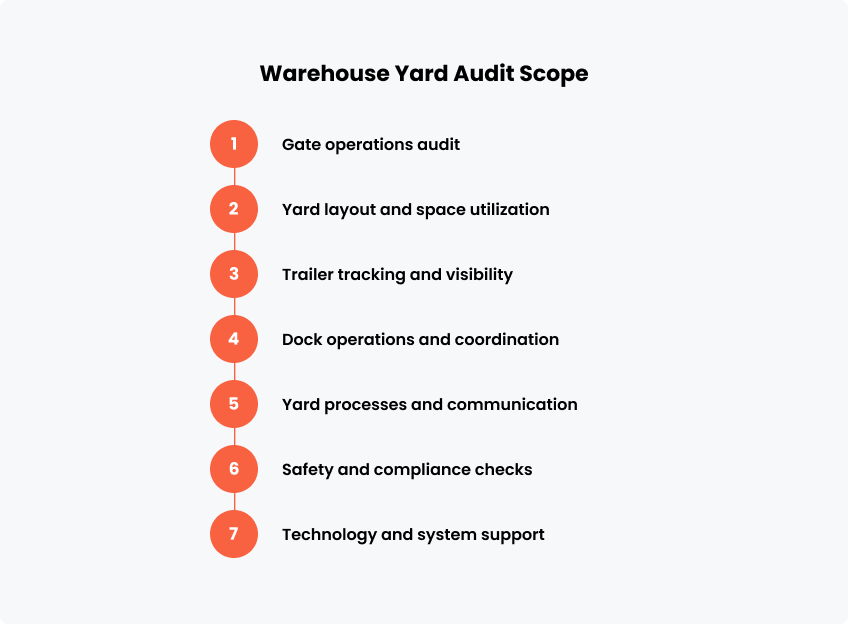
Safety and Compliance Checks
Safety checks protect people, assets, and throughput.
Are access controls in place?
Confirm who can enter, where they can go, and how exceptions are approved. Link gate rules to physical access.
Are safety procedures followed?
Inspect speed limits, PPE rules, pedestrian separation, lighting, reversing zones, signage, and emergency routes.
Is there a record of yard activity?
A record should show arrival, check-in, assignment, movement, dock time, incidents, and departure. Missing logs weaken compliance.
Are incidents tracked and reviewed?
Review near misses, property damage, seal issues, blocked routes, and security exceptions. Patterns matter more than blame.
Technology and System Support
Technology should remove friction, not create another screen. Focus on whether systems support faster, safer decisions.
Are digital systems used for tracking and control?
Assess your YMS, WMS, TMS, access control, and visitor workflows. The goal is one reliable operational picture.
Is data available in real time?
Static reports help tomorrow. Real-time tracking helps with the next move.
Are systems integrated across operations?
Integrations should connect appointments, dock scheduling, check-in, access, and warehouse status. Isolated tools create blind spots.
Is there reliance on spreadsheets or paper?
Spreadsheets are useful for analysis, not live control. Paper logs are hard to search, audit, and share.
Use a compact self-service station or rugged outdoor terminal.
How to Identify Improvement Areas
Turn findings into ranked actions. Fix the gaps with the greatest impact on delay, safety, or cost first.
Where delays occur most often
Group delays by location: gate, waiting area, dock, paperwork, warehouse release, or exit. Heat maps help.
Where manual work slows down operations
Look for repeated typing, status calls, manual badge checks, printed instructions, and handwritten logs.
Where visibility is limited
Visibility is limited where teams cannot answer “who, where, what next, and since when” in under one minute.
| Finding | Likely cause | Improvement action |
|---|---|---|
| Long entry queues | Poor appointment spread | Add slot rules and pre-check-in |
| Lost trailers | Manual location updates | Use digital location/status control |
| Dock idle time | Weak coordination | Connect gate, dock, and warehouse data |
| Safety exceptions | Unclear access rules | Add digital screening and access records |
| Repeated calls | No shared view | Use dashboards and signage |
FAQ
Use these answers to align teams before a yard-efficiency audit or project kickoff.
It is a structured tool for reviewing gates, trailer areas, docks, safety, communication, and technology. A warehouse yard audit checklist turns operational friction into measurable findings.
Do a light review monthly and a full review quarterly. High-volume sites should also audit after peak periods or process changes.
Include arrivals, check-in, layout, parking, trailer tracking, dock scheduling, communication, safety records, access control, and system integration.
Operations should own the process, but security, transport, warehouse, safety, and IT must contribute. Shared ownership prevents narrow fixes.
Rank issues by impact, assign owners, set deadlines, and review metrics. Digital check-in, clearer signage, and better system integration can turn the checklist into lasting control.