
(Prefer videos? Watch a brief summary of this article below.)
At a Glance
- The front desk is now a control point: It welcomes people, verifies identity, protects data, and supports security.
- Paper logs create blind spots: They are hard to search, easy to read, and poor in auditing.
- Digital check-in reduces friction: Guests can register at a kiosk or tablet with a QR code, or through a receptionist-assisted workflow.
- Access becomes precise: Badges, host approvals, and access control systems decide who may enter which space.
- Good data helps management: Analytics show traffic, visitor types, peak hours, unresolved check-outs, and policy acceptance.
A visitor registration system gives your building a live guest record. Not a clipboard. Not a stack of badges in a drawer. A real-time answer to four questions: who is here, why they are here, who approved them, and where they can go.
That answer has become expensive to miss. IBM’s 2025 Report found that the global average cost of a data breach was USD 4.44 million. A lobby log will not stop every risk, of course. But weak identity, loose records, and exposed information make risk easier to spread.
A modern visitor registration system changes the first minute of every visit. The guest sees a clean screen, your logo, clear instructions, and a fast path forward. Security gets structure. Reception gets breathing room.
What Is a Visitor Registration System?
A visitor registration system is the software and hardware used to register, verify, approve, badge, and track guests in a workplace. It turns arrivals into a controlled digital workflow.
Before features come people. Customers, auditors, contractors, candidates, delivery drivers, partners, board members. They do not need the same journey.
Core components
The core components are check-in software, a kiosk or tablet, ID scanning, photo capture, badge printing, host notifications, and a management dashboard.
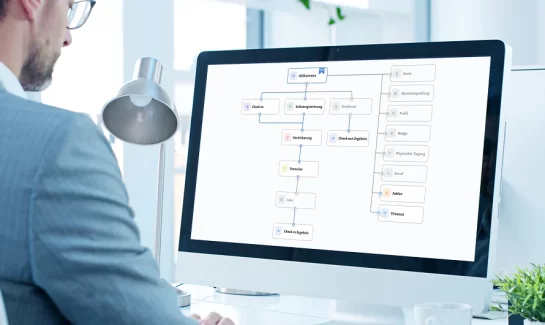
Here is how a visitor registration system works in a typical office:
- The guest arrives at an interactive kiosk.
- They enter information or scan an invitation QR code from their smartphone.
- The system checks rules for that visitor type.
- The guest signs a policy, safety document, or non-disclosure agreement (NDA).
- The host receives an alert via email, SMS, or Microsoft Teams.
- A badge is printed or issued digitally.
- Access control opens only the approved door, floor, or zone.
friendlyway’s visitor management solution supports self-service check-in, branded screens, document signing, visitor tracking, and badge workflows.
Key features
The strongest systems are not overloaded. They are clear, fast, and strict where they need to be.
Look for pre-registration, QR codes, ID scanning, photo capture, badge rules, host alerts, data export, mobile app options, analytics, audit history, and configurable policy text. A leading visitor registration system should also support different workflows for contractors, VIPs, customers, and walk-ins.
Types of systems
Visitor systems usually fall into cloud, on-premises, kiosk-based, tablet-based, and hybrid models.
Cloud computing suits organizations with several sites and central management. On-premises setups fit stricter IT environments. A freestanding kiosk works in a busy lobby. An iPad or tablet computer suits a smaller reception desk. Hybrid systems are common when older tools and new access controls need to coexist for a while.
Security Benefits and Advantages
The main security benefit is visibility. You stop relying on memory and start working from live, searchable data.
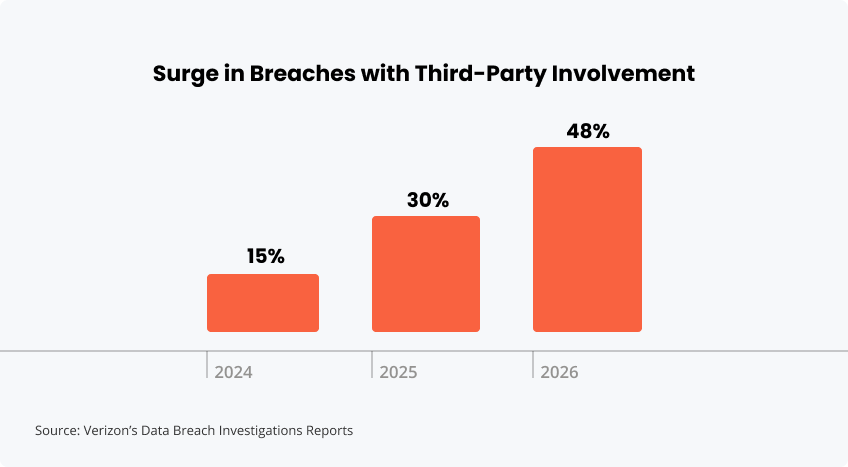
This matters because external relationships carry real risk. Verizon’s 2026 Data Breach Investigations Report found third-party involvement in 48% of breaches, up from 30% last year and roughly 15% the year before. Contractors, suppliers, service providers, and partners need better entry control, not just polite sign-in sheets.
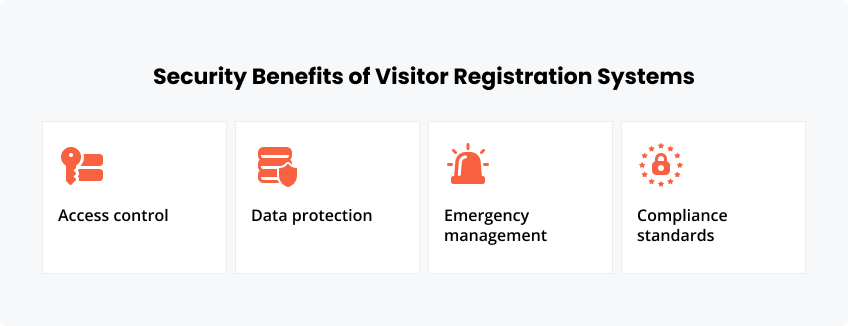
Access control features
Access control features connect identity with permission. A badge should never mean “go anywhere.”
A digital visitor registration system can link QR codes, smart locks, turnstiles, parking barriers, temporary passes, and access control systems. friendlyway’s integration options help connect visitor workflows with building and security technology.
Data protection
Digital records protect visitor information better than exposed paper logs when the system is configured properly.
Good data security includes role-based access, encryption, retention rules, secure export, audit trails, and clear deletion policies. It also reduces the awkwardness of one guest seeing another guest’s name, company, phone number, or signature.
Emergency management
Emergency management improves because the visitor list is live. During an evacuation, that is the list people need.
Security teams can see who checked in, who checked out, and who may still be inside. In hybrid offices, shared campuses, labs, factories, and remote work hubs, that clarity is not a luxury. It is operational hygiene.
Compliance standards
Compliance standards require proof. A visitor management tool should show what happened, not simply suggest it.
Useful records include policy acceptance, NDA signatures, check-in and check-out times, host approval, receptionist action, badge status, and access history. For regulatory compliance, those details matter.
Give guests a polished welcome while your team controls badges, documents, approvals, and access rights.
Implementation Process
Implementation starts with the real lobby, not the brochure. Watch how people arrive. Then design the workflow around risk, speed, and customer service.
The best projects keep low-risk visits light and high-risk visits controlled.
Hardware requirements
Hardware requirements depend on traffic, space, and the level of security at the entrance.
Common choices include:
- Interactive kiosk
- Reception desk tablet
- ID scanner
- Camera
- Badge printer
- QR reader
- RFID reader
- Touchscreen with company logo
- Accessible floor stand or counter mount
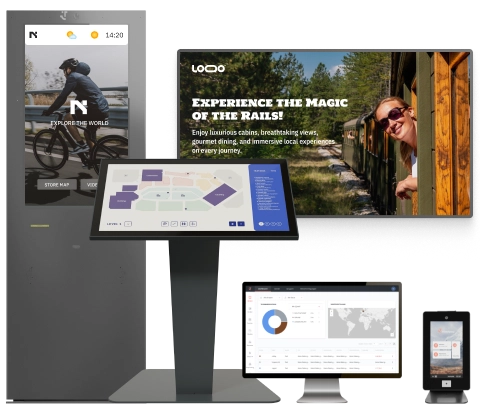
friendlyway offers different formats, including Counter 12, Counter 22, and Welcome 43 Pro.
Software setup
Software setup defines what the system asks, shows, stores, and triggers.
Do not ask for everything. Ask for what you need. Name, company, host, purpose, document consent, and access level may be sufficient for a single visitor. A contractor may need safety instructions, ID scanning, and approval before the badge prints.
Staff training
Staff training should focus on exceptions. Routine check-in should be obvious without a manual.
Receptionists and security teams need to know how to handle walk-ins, denied access, failed ID scans, badge reprints, VIP guests, delivery drivers, emergency mode, and data requests.
Integration options
Integration options reduce duplicate work. That is where the system becomes more than a screen in the lobby.
Useful integrations include Microsoft Outlook, Microsoft Teams, SMS, Slack software, HR tools, badge printers, analytics, access control, and door hardware. The goal is a quieter desk, fewer calls, cleaner records, and no guessing.
Essential Features
Essential features should support the guest, the host, and the security team simultaneously.
| Feature | What it does | Why it matters |
|---|---|---|
| ID scanning | Captures verified information | Reduces typing errors |
| Photo capture | Links face to record | Helps with visual checks |
| Badge printing | Makes approval visible | Supports on-site control |
| Host notifications | Alerts the right person | Cuts lobby waiting |
| Visitor tracking | Shows live presence | Improves audit and safety |
ID scanning
ID scanning speeds up registration and improves accuracy. It is especially useful for contractors, vendors, auditors, and first-time guests.
Photo capture
Photo capture adds a human check to the badge. It helps prevent badge sharing and makes host recognition easier.
Badge printing
Badge printing turns permission into something visible. The badge should show name, company, host, visit type, expiry time, and access level.
Color helps too. A contractor badge can look different from a customer badge. Security becomes easier without making the lobby feel unfriendly.
Host notifications
Host notifications keep guests from waiting in silence. The alert should reach the host where they actually work.
For one company, that may be email. For another, Microsoft Teams. For a facilities team, SMS may be faster. The point is not the channel. The point is response.
Visitor tracking
Visitor tracking shows who is on site now and what happened before.
Management can review peak arrival times, repeat visitors, contractor patterns, unresolved check-outs, receptionist activity, and space usage. Analytics turn the desk into a useful operating signal.
Cost Analysis
The cost of using a visitor registration system depends on the number of sites, visitor volume, hardware, software, support, branding, integrations, and compliance needs. The cheapest tool can become expensive if it creates manual work and poor usability.
Think in total cost. Paper looks free until audits, delays, lost badges, exposed information, and receptionist interruptions are counted.
Initial investment
Initial investment may include kiosks, tablets, scanners, cameras, badge printers, software setup, design, integration work, and staff training.
A single office may start with one desk device. A corporate campus may need several kiosks, door integrations, central management, and location-specific workflows.
Operating expenses
Operating expenses usually include licenses, support, cloud hosting, updates, badge stock, printer supplies, maintenance, and occasional workflow changes.
friendlyway’s visitor management software pricing page gives teams a starting point for budget planning.
ROI factors
ROI comes from saved time, faster check-in, fewer manual errors, lower paper use, stronger compliance, quicker audits, and better access control.
There is also a quieter return: confidence. Guests feel expected. Employees feel protected. The receptionist is not forced to play detective with a pen and a smile.
Use friendlyway kiosks, visitor software, badges, and integrations to create a secure, branded arrival experience.
FAQ
Any organization with regular guests can benefit. The need becomes stronger with contractors, customer visits, candidates, deliveries, regulated areas, multiple entrances, or limited reception coverage.
Yes. They can integrate with access control systems, smart locks, turnstiles, parking gates, badge printers, calendars, Microsoft tools, email, SMS, and analytics platforms.
A simple setup can move quickly when the workflow is clear. Multi-site projects take longer because hardware, data rules, access controls, staff training, and policy settings have to be aligned.
That depends on your retention policy. A strong system should support secure storage, deletion, anonymization, role-based access, audit review, and controlled export.
Yes, when the right controls are in place. Look for encryption, strong authentication, role-based permissions, retention rules, updates, audit logs, and clear data processing terms.