
(Prefer videos? Watch a brief summary of this article below.)
At a Glance
- A virtual reception is the new front desk. It blends kiosk check-in, receptionist software, video help, phone routing, SMS, email, and visitor records.
- It does not remove the human touch. It puts people where they matter most: complex questions, VIP arrivals, sensitive cases, and real conversation.
- It helps reduce waiting. Guests check in faster. Hosts get instant alerts. Teams stop chasing paper forms.
- It improves control. Every visit, badge, call, document, and notification can become part of a clear management record.
- It scales easily. One location or fifty. One desk or no desk. Reception can follow the same rules everywhere.
A virtual reception is a front desk that does not depend on one chair, one phone, or one person being free at the right second. It greets visitors, routes calls, confirms appointments, alerts hosts, collects signatures, and escalates to a live receptionist when needed.
For business leaders, the appeal is simple: fewer gaps, cleaner data, faster service, a better first impression before anyone says a word.
What Is a Virtual Reception?
A virtual reception is a digital reception setup that handles arrivals, calls, visitor records, and basic customer service through connected software, kiosks, automation, and remote support.
Definition and core features
Think of it as a receptionist platform with more reach than a traditional desk. It can work with an in-house receptionist, support a virtual receptionist team, or serve as the main point of greeting in a lobby.
The core pieces are usually:
| Feature | What it does |
|---|---|
| Visitor check-in | Registers guests, contractors, clients, and suppliers |
| Telephone routing | Sends calls to the right team, person, or voicemail |
| Host alerts | Notifies employees by SMS, email, or mobile app |
| Video support | Connects to live virtual receptionists when self-service is not enough |
| Reporting | Gives management data on visits, waiting time, and traffic |
| Security | Logs who entered, when, why, and who approved it |
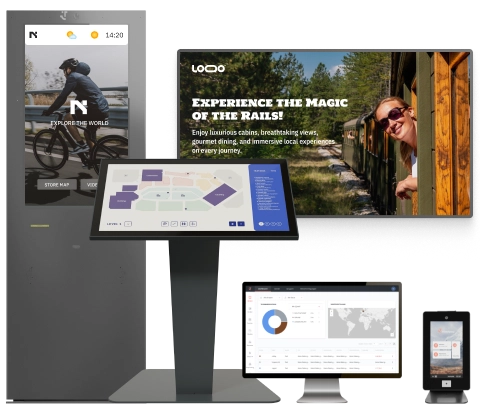
This is where visitor management fits naturally. It supports custom visitor journeys, paperless document signing, notifications, and kiosk-based check-in for modern business spaces.
How it works in practice
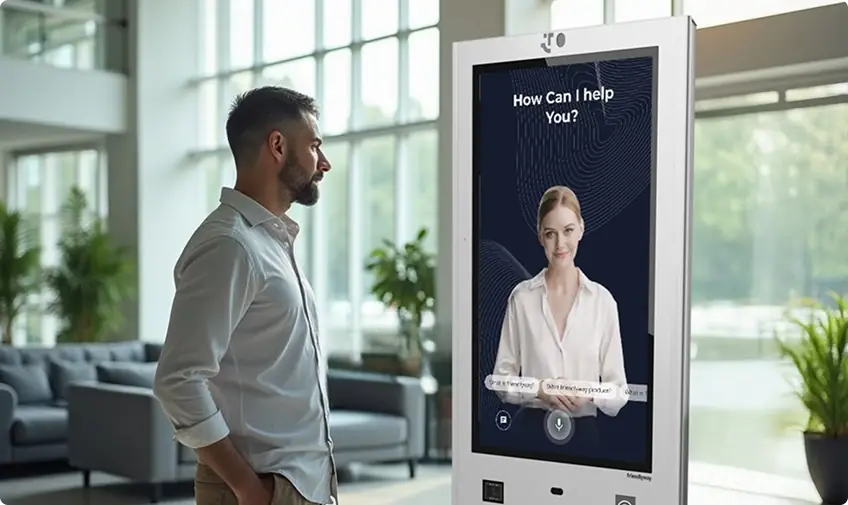
A visitor walks in. The screen asks for a name, a company, a host, and a purpose of visit. Maybe there is a QR code. Maybe an NDA. Maybe a badge.
The host gets an alert. The visitor sees directions. If something goes wrong, the system can initiate a video chat. No awkward searching. No empty desk problem.

Advantages of Using a Virtual Reception
The biggest win is continuity. Reception keeps working during lunch, busy periods, staff shortages, multi-site growth, and sudden peaks in visitor volumes.
Cost efficiency
A full front desk is expensive when the work is repetitive: answering the same telephone question, logging couriers, printing badges, finding the right host, repeating directions.
A virtual receptionist service moves those tasks into software. The human team handles what actually needs judgment.
In the United States, FRED data from the U.S. Bureau of Labor Statistics shows 871,000 full-time wage and salary workers in receptionist and information clerk occupations in 2025. That is a big operating category. Even small efficiency gains can matter.
Improved customer experience
People forgive many things. Confusion at arrival is not one of them.
A virtual reception gives every customer or visitor a clear next step. Tap here. Scan this. Sign there. Please wait; your host has been notified.
It feels simple because the messy part is hidden. Behind the screen, the system is doing the desk work: communication, routing, records, badges, and escalation.
Give visitors a faster welcome while giving your team better control over every arrival.
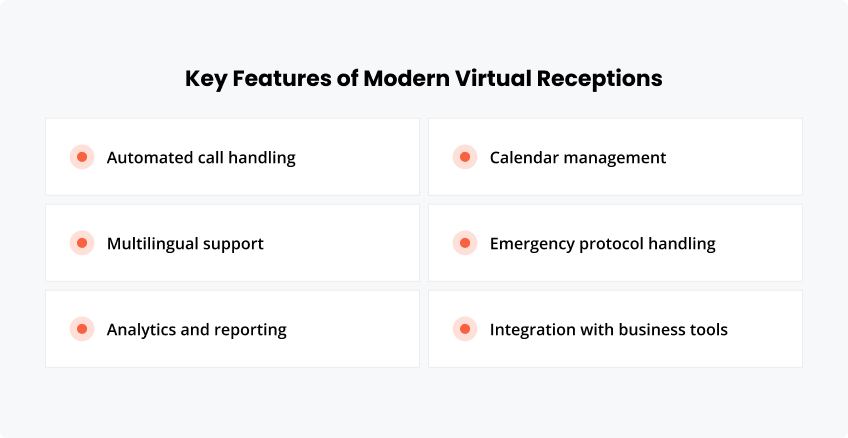
Key Features of Modern Virtual Receptions
A good system should not feel like a bolt-on gadget. It should behave like part of the building.
Automated call handling
Automated attendant and interactive voice response (IVR) tools route callers by topic, department, language, or location. A simple request goes straight through. A complex one can move to a live virtual receptionist service.
Multilingual support
Not every visitor speaks the same language. Not every caller knows the local process.
Multilingual screens and support flows reduce friction. For global offices, universities, healthcare sites, and public facilities, this can turn a tense first minute into a smooth one.
Analytics and reporting
Reception has always been full of useful signals. Most of them disappeared into notebooks, memory, or guesswork.
Analytics change that. Managers can see peak hours, no-shows, repeat visitors, average waiting time, call patterns, and service gaps. A cloud platform can help teams manage devices, content, workflows, and visitor touchpoints from a single place.
Calendar management
Calendar integration helps reception prepare for the visitor’s arrival. Hosts can pre-register guests. Visitors can receive instructions. Meeting rooms can be ready.
The result is less lobby theatre, fewer “Who are you here to see?” moments, less clock-watching.
Emergency protocol handling
During an emergency, reception data becomes safety data. Who is inside? Who checked out? Which contractor is still on site?
A strong system can support mustering lists, emergency messages, evacuation instructions, and host notifications. Paper logs are not built for panic.
Integration with business tools
A virtual reception should connect to the tools a company already uses: access control, CRM, calendar systems, badge printers, Microsoft Teams, SMS, email, and client computing environments.
Hardware matters too. Compact kiosks such as the friendlyway Counter 12 can bring digital reception to lobbies, counters, service desks, and satellite offices without redesigning the entire space.
Industries Benefiting from Virtual Receptions
The model works best where arrivals are frequent, rules matter, and staff should not be trapped behind admin work.
Healthcare
Clinics and medical offices can manage patient check-in, privacy notices, visitor logs, and directions. A virtual receptionist can answer routine questions while staff focuses on care.
Real estate
Real estate offices move fast. Agents are in meetings, showings, cars, and calls.
A virtual receptionist can greet prospects, notify agents, capture lead details, and help turn walk-ins into revenue opportunities.
Legal services
Law firms need order and discretion. A loud conversation in the lobby is not ideal.
Digital check-in can quietly route clients, notify attorneys, collect documents, and keep a clean visit record without exposing sensitive details at the desk.
E-commerce
Warehouses and e-commerce offices deal with drivers, suppliers, job candidates, contractors, and returns partners. A virtual setup keeps the front flow separate from the operational rush.
Technology companies
Tech teams are often hybrid. The person being visited may not sit near the entrance, or may not be on site at all.
With SMS, email, mobile app alerts, and video support, reception still feels connected.
Educational institutions
Schools, colleges, and training centers need visitor visibility. Parents, vendors, guest speakers, contractors, and applicants all need different workflows.
A virtual reception helps standardize who gets in, who is notified, and what gets recorded.
Compare software and hardware options for your workplace.
Common Challenges and Solutions
The main challenge is not the technology. It is designing the reception flow like a real human journey, not a software form.
Ensuring data security
Reception data can include names, telephone numbers, email addresses, signatures, ID checks, reasons for visit, and host details. That data deserves serious handling.
IBM’s 2025 Cost of a Data Breach Report put the global average breach cost at USD 4.44 million. For reception projects, this is a reminder: choose secure hosting, role-based access, audit logs, and clear retention rules from the start.
Managing high call volumes
High call volume can break a front desk. It can also bury good employees under bad timing.
A layered setup works better:
- Use IVR for simple routing.
- Send missed calls to voicemail with clear rules.
- Escalate priority calls to a live receptionist.
- Use a team of virtual receptionists for overflow.
- Review call data weekly, not once a year.
FAQ
The main purpose is to manage arrivals and communication without depending on an in-person receptionist. It helps greet visitors, route calls, alert hosts, record visits, and support customer service.
It gives people faster answers. Visitors know what to do. Hosts get notified quickly. Callers reach the right place. When automation is not enough, a virtual receptionist or live support agent can step in.
Yes. A healthcare reception flow can focus on privacy and patient forms. A legal office can focus on discretion. A warehouse can focus on access control, delivery slots, and safety instructions.
Pricing depends on software, hardware, locations, integrations, support level, and workflow complexity. Some businesses start with one kiosk and basic notifications. Others build a full multi-site receptionist platform with reporting and access control.
Security depends on the platform and configuration. Look for controlled access, encrypted data handling, audit trails, secure document signing, clear retention settings, and reliable management tools. Reception is a welcome point. It is also a data point.