
(Prefer videos? Watch a brief summary of this article below.)
Key Facts at a Glance
- Physical access control decides who may enter, where, when, and under which rules.
- A good setup protects people, rooms, stock, records, machines, and other physical assets.
- The weak link is often the process, not the hardware: copied badges, outdated permissions, unlocked side doors.
- Modern entry control joins reception, HR, IT, cameras, alarms, and audit records.
- The best test is simple: can you explain every open door in the building?
At 8:03 on a Monday, a door tells the truth about a company. Staff arrives. Contractors wait. A courier wants the loading bay. A former employee still has a card in a drawer. Physical access control is the discipline that decides which of those movements becomes entry — and which becomes a stopped event.
What Is Physical Access Control?
It is the rulebook for real-world entry, enforced by hardware, software, identity checks, and recorded decisions.
Definition and fundamental principles
A physical access control system links a person, a physical space, a permission, and a moment. The components of physical access control include readers, locks, controllers, credentials, workflows, and policies.
How physical access control systems work
A user presents a physical credential, a phone, a PIN, a QR code, a face scan, or a fingerprint. The system that controls physical access checks the rule, then opens a physical barrier, refuses, logs, alerts, or requests additional proof.

Types of Physical Access Control Systems
Each type of physical access model reflects a different level of risk, budget, evidence, and user tolerance.
Mechanical access control (locks and keys)
Mechanical locks still work. Physical keys are cheap, but they travel without a report, expire only upon return, and pose a risk when copied.
Electronic access control systems
Electronic systems control physical access through readers, locks, permissions, and event records. They are better when many people need different doors at different times.
Biometric access control
Biometrics connect entry to the person, not a borrowed object. They suit sensitive rooms, but privacy, consent, storage, and fallback access must be designed first.
Mobile access solutions
Mobile credentials move entry rights to the device people already carry. They help with hybrid teams, short-term staff, and quick revocation.
Multi-factor authentication systems
Multi-factor entry asks for more than one signal. A card plus PIN, phone plus biometric, or QR code plus approval can protect higher-risk areas.
Welcome guests with clear instructions, signed documents, host alerts, and badges that match the purpose of the visit.
Benefits of Implementing Physical Access Control
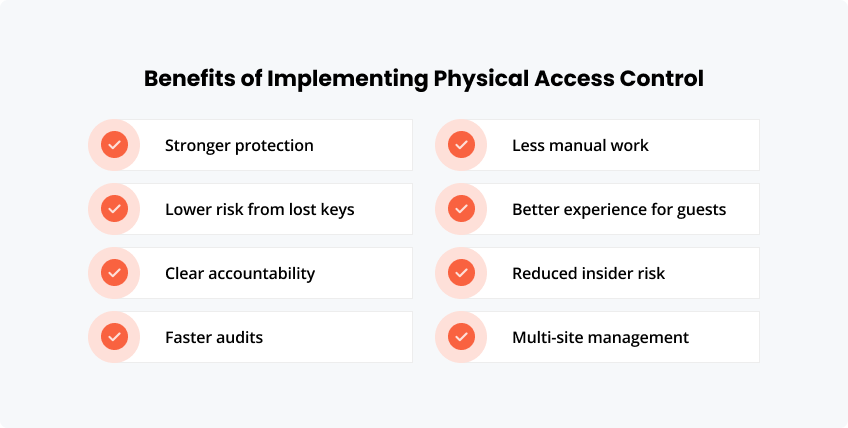
The business value is not the reader on the wall. It is the reduction of uncertainty. A well-designed physical access control system helps leaders know who entered, why they had permission, and whether the rule still makes sense.
Stronger protection for people and assets
Physical access control protects staff, visitors, equipment, records, stock, server rooms, and restricted work zones. It makes sensitive areas harder to reach by accident, habitually, or intentionally.
Physical keys can be copied, misplaced, or kept after someone leaves. Digital credentials can be cancelled quickly, reviewed, and linked to a named user.
Clear accountability after an incident
When something goes wrong, access records help reconstruct the timeline. Security teams can see who entered, when, and through which point instead of relying on memory or manual sign-in sheets.
Faster audits and easier compliance checks
Audit trails make reviews less painful. Instead of searching paper logs, teams can produce reports on access to physical areas, visitor activity, denied attempts, and permission changes.
Less manual work for security and reception teams
Automated permissions, visitor pre-registration, host notifications, and badge workflows reduce repetitive admin. Staff spend less time checking lists and more time handling exceptions.
Better experience for employees, guests, and contractors
Good control does not have to feel heavy. Employees move through approved areas smoothly. Visitors get clear instructions. Contractors receive access only for the job, date, and location they need.
Reduced insider and ex-employee risk
Many security gaps stem from permissions that outlive their roles. When access rights are integrated into HR and visitor workflows, changes can be made faster and with fewer missed steps.
More confident multi-site management
For companies with several offices, plants, or campuses, central oversight matters. Teams can apply consistent rules while still adapting access to local risks and building layouts.
Key Features of Modern Physical Access Control
Modern physical access systems are less about the door itself and more about the story behind the opening.
Cloud-based access management
Cloud-based physical access control helps distributed teams centrally manage sites, devices, and permissions. The friendlyway Cloud Platform supports cloud device management for visitor, signage, kiosk, and facility workflows.
Tailored access permissions
Permissions can be based on role, shift, floor, tenant, visit type, or project. Access to a physical area can expire automatically when the business reason ends.
Emergency lockdown capabilities
Lockdown rules can quickly close a zone. They are useful during threats, chemical spills, theft investigations, protests, or other site incidents.
Audit trails and reporting
Audit trails create a searchable memory for the organization. They show access to your physical locations, as well as exceptions, denials, and patterns that require review.
Compatibility with smart devices
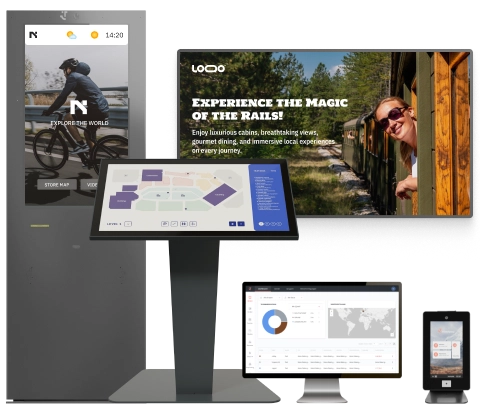
Kiosks, screens, scanners, badge printers, cameras, phones, and smart locks can all become entry touchpoints when the workflow is connected.
| Signal | What it proves | Where it helps |
|---|---|---|
| Badge | Assigned permission | Offices, floors |
| PIN | Knowledge | Staff-only rooms |
| QR code | Visit approval | Guests, events |
| Biometric | Person match | Restricted zones |
| Mobile pass | Live credential | Hybrid teams |
Common Challenges in Physical Access Control
Most failures begin as small habits: propped doors, shared cards, old users, and exceptions nobody owns.
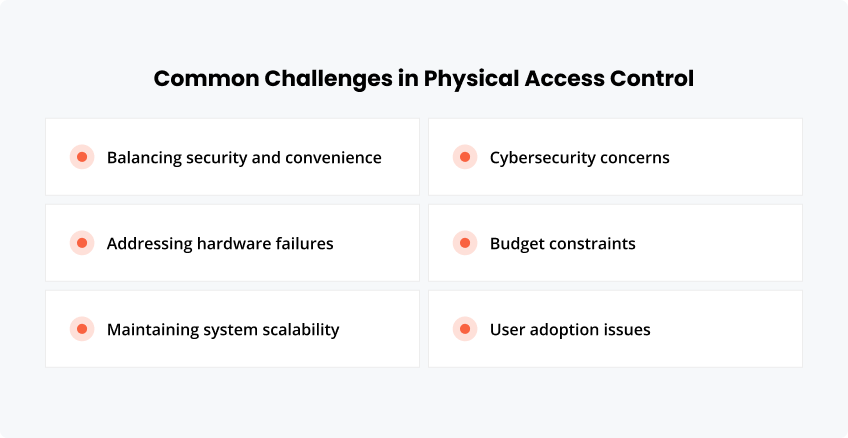
Balancing security and convenience
If entry is slow, people route around it. If it is loose, risk walks in. Good design is strict where needed and almost invisible elsewhere.
Addressing hardware failures
Locks jam. Batteries die. Networks blink. Every site needs fallback rules, test schedules, and a human procedure for bad days.
Maintaining system scalability
A one-site setup can become a ten-site headache. Scalability means naming rules, roles, and devices so growth does not create chaos.
Cybersecurity concerns
Networked entry gear belongs in the cyber conversation. Verizon’s 2026 Data Breach Investigations Report reports that 31% of breaches now start with software vulnerabilities, making patching and vendor review relevant to physical security.
Budget constraints
Budgets improve when risk is ranked. Start with the lobby, server room, stock area, plant gate, or archive — wherever one open door costs the most.
User adoption issues
People need clear signs, clean badges, short instructions, and fast help. Confusing systems invite badge sharing.
System Integration Capabilities
Integration turns separate door events into an operating picture.
Building management systems
Building systems can react to occupancy, door status, and access schedules. That supports energy use, safety, and comfort.
Video surveillance
Linked video and entry records give investigators a timeline instead of loose clips and guesses.
Fire alarm systems
Fire safety overrides must come first. No control should trap people behind a rule.
Time and attendance
Entry records can support attendance, but policy must be clear. Employees should know what is measured and why.
HR systems
HR connection is a best practice in physical access control. New hires enter on day one. Leavers lose access on time.
Visitor management
A visitor platform helps control physical access for people outside the employee directory. friendlyway integrations connect workflows with access control devices, barriers, parking gates, smart locks, alarms, and business tools.
Compliance and Standards
Compliance is not a binder. It is proof that entry rules exist, work, and can be reviewed.
Industry-specific standards
Rules vary by sector. A manufacturing plant, a public agency, a hospital, and a bank each have a different need for physical controls.
Data protection requirements
Logs, badges, visit records, and biometrics may identify people. Keep the minimum, restrict access, and delete by policy.
Connect check-in, badging, host alerts, documents, access decisions, and reporting in one visitor journey.
Physical access control is not the art of saying no. It is the discipline of knowing why yes is safe. To learn all about physical access control in your building, map five things first: people, places, permissions, exceptions, and evidence.
FAQ
Cost depends on doors, wiring, locks, readers, credentials, software, integrations, and support. A pilot area gives the cleanest estimate.
Small sites can move quickly. Larger estates need surveys, fire review, cabling, user rules, testing, and staged launch.
Yes. Many projects keep useful hardware and improve software, reporting, visitor flow, mobile credentials, or integration.
Use backup power, defined lock behavior, safe exits, manual override, and written staff instructions.
Keys are weak for tracking. Cards are practical. Mobile is flexible. Biometrics and multi-factor methods offer stronger proof when governance is solid.
Review users, test readers, update software, inspect locks, remove stale rights, and check reports for unusual events.
Cancel the lost item immediately. Issue a replacement. Review recent entries to see whether the old credential was misused.
Use battery backup, offline permissions, spare credentials, administrator redundancy, emergency keys, and tested procedures.