
(Prefer videos? Watch a brief summary of this article below.)
A visitor walks into your lobby, glances around for a receptionist, and finds… nobody. The host is in a meeting. Security is busy. The guest is polite, but now they’re waiting, unsure where to go, and your team has no record of their arrival.
That moment is exactly what visitor check-in systems are built for: turning an informal, inconsistent front-door experience into a controlled, trackable workflow that supports security, compliance, and a smoother welcome.
And the stakes are real. Verizon’s 2025 Data Breach Investigations Report (DBIR) analyzed 22,052 security incidents and 12,195 confirmed breaches, underscoring how often risk comes down to people, process, and accountability. Cybersecurity isn’t the same thing as physical access, but the lesson carries: when workflows are ad hoc, gaps appear. Your lobby is one of the easiest places for those gaps to start.
Key Takeaways
- Visitor check-in systems replace ad hoc arrivals with a repeatable process that records who is on site, whom they’re visiting, which policies they signed, and when they leave.
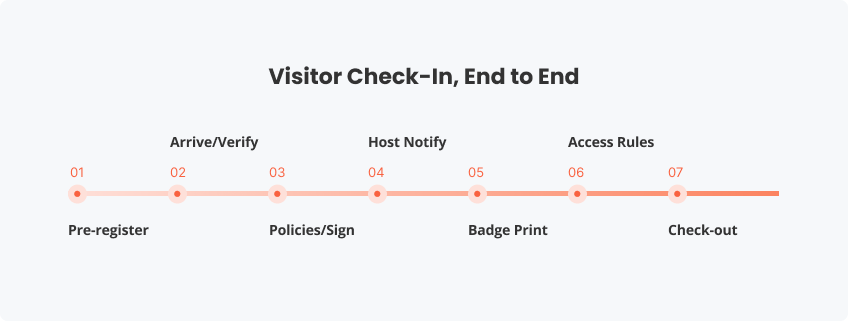
- Most modern setups follow the same backbone: pre-registration, arrival verification, policy/signature capture, host notification, badge creation, and check-out.
- The best platforms balance speed and control by supporting touchless self-service check-in, clear visitor types (guests, contractors, deliveries), and reporting that holds up in audits or investigations.
- Digital systems generally beat paper logs by reducing errors and privacy exposure while enabling real-time visibility, faster throughput, and measurable operational improvements.
Definition and Core Purpose
A visitor check-in system (also called a visitor sign-in system, a visitor registration system, or electronic visitor management) is software — often paired with optional hardware — that standardizes how guests are registered, verified, notified, badged, and logged in real time.
At its simplest, it replaces a clipboard with a digital visitor logbook. At its best, it becomes visitor tracking software that ties together security policy, identity validation, host workflow, and reporting, especially across multiple locations. The “why” is straightforward: you want to know who is in the building, where they should be, and what they agreed to without depending on memory, handwriting, or improvisation.
That last point matters because widely used security frameworks explicitly call out visitor logging. NIST’s SP 800-53, for example, includes Visitor Access Records (PE-8) — a requirement to maintain and review records and report anomalies.
How a Visitor Check-in System Works (Step-by-Step)
Most modern systems follow a predictable flow. The details vary by industry, but the structure holds, and it’s designed to stay consistent even when the lobby gets busy.
- Pre-registration (optional): The host sends an invite (often with a QR code) and collects required fields before arrival.
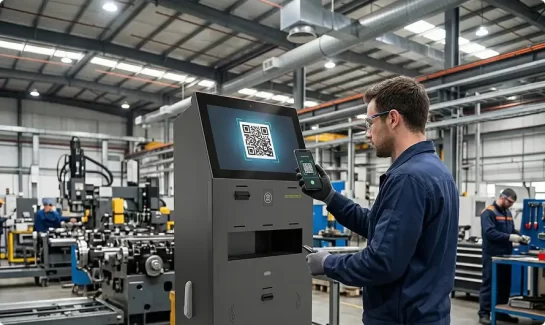
- Arrival + identity capture: The visitor checks in via a tablet or kiosk. Depending on policy, you may capture a photo, scan an ID, or merely confirm contact details.
- Policy capture: NDAs, safety briefings, and site rules are presented in the workflow and signed digitally for a clean audit trail.
- Host notification: The host receives an automatic alert (SMS/email/Teams), cutting out front-desk phone tag.
- Badge creation: A visitor badge prints with name, host, location, and expiration time.
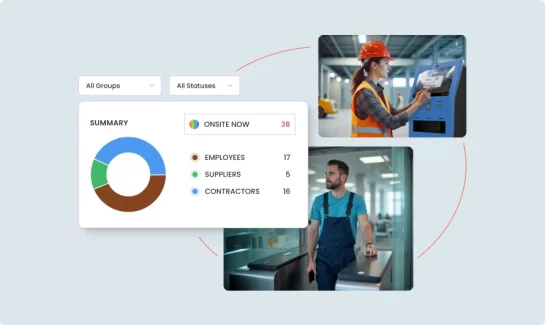
- Check-out: Visitors sign out automatically or at the kiosk, keeping your on-site list accurate for operations and emergency response.
The difference versus a manual process isn’t magic; it’s reliability. A system doesn’t “forget” to request a signature or “skip” a badge because the receptionist got pulled away.
Core Features and Components to Look For
If you’re evaluating visitor sign-in systems, it helps to separate what you need for governance from what you might want for convenience.
Most organizations treat these as non-negotiables: a fast, intuitive self-service experience; configurable visitor types (guest, contractor, interview, delivery, VIP) with different rules; policy and signature capture; automatic host notifications; and dependable badge printing that makes it obvious who belongs where. Add role-based administration and exportable reporting, and you have the backbone of a compliance-ready check-in process that’s consistent enough to trust under pressure.
Then there are the features that make a good system feel effortless: QR-based arrival for touchless sign-in, photo capture, multilingual interfaces, accessibility options, and deeper integrations (calendars, directories, access control, and incident tools). A solid analytics dashboard can also be more than a nice chart; it should show you what’s really happening — peak arrival windows, average check-in time, and whether hosts routinely leave guests waiting.
| Must-have | Nice-to-have |
|---|---|
| – Self-service sign-in – Host notifications – Guest pass printing – Visitor types – Policy + signature capture – Real-time dashboard – Reporting + export – Role-based administration | – Touchless check-in – ID scanning and watchlist checks – Photo capture – Multi-language workflows – Accessibility options – Visitor analytics dashboard – Integrations |
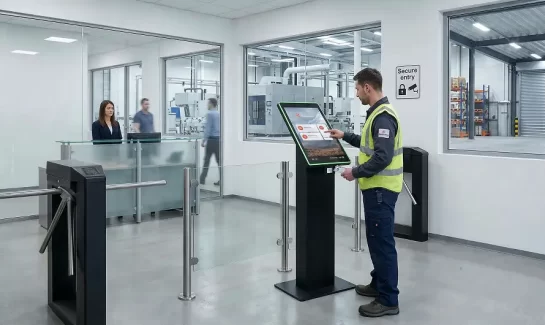
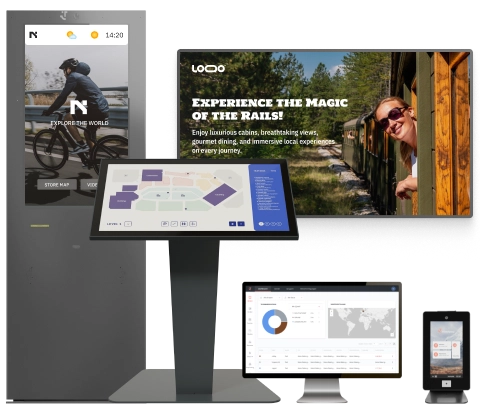
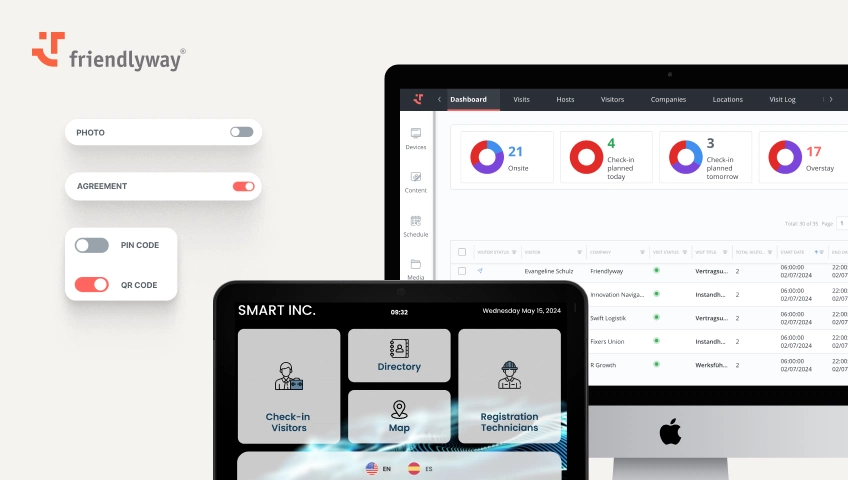
Hardware matters, too. Some sites need a freestanding kiosk in a high-traffic lobby; others do fine with a tablet at reception and a compact printer. If you’re already investing in digital signage, pairing signage and check-in can reduce confusion for first-time visitors, especially in multi-tenant buildings where “just head upstairs” isn’t a real instruction.
Benefits for Organizations
Visitor check-in systems deliver three practical wins: stronger front-door control, faster arrivals with less staff friction, and reliable records when you need answers later.
Stronger security at the front door
Physical access is a security control, not just a facilities concern. In regulated or semi-regulated environments (healthcare is the obvious example), physical safeguards and access discipline are part of the broader security posture. A well-configured system supports office security by standardizing identity and policy steps, reducing badge exceptions (“just let them up”), and creating defensible visitor access records that don’t depend on someone remembering what happened.
It also makes enforcement less personal. When the workflow is built into the process — who needs an escort, who can access which areas, who must acknowledge safety rules — your team isn’t forced to negotiate policy at the front desk.
A faster, calmer arrival experience
Speed isn’t vanity. It’s operational throughput, and it shapes perception. Candidates, partners, investors, contractors — everyone forms an opinion of your organization before the first handshake. A clean automated reception flow (especially with pre-registration) signals competence and reduces interruptions for internal teams who shouldn’t be playing receptionist by default.
Better auditability and decision data
When something goes wrong — an incident, a compliance inquiry, a missing laptop — paper logs rarely help. Names are illegible, data is incomplete, and filtering by host, company, or visitor type becomes a scavenger hunt.
A digital system gives you a searchable log, retention rules, and reporting. It won’t solve every risk, but it raises the baseline: tighter process control around identity, access, and accountability, backed by records you can actually use.
Common Visitor Scenarios (and Where Systems Pay Off)
Most sites juggle multiple visitor flows, not one. Defining a few clear scenarios — guests, contractors, deliveries, VIPs — keeps check-in fast while maintaining the right level of control.
Corporate offices and HQs
Interviews and scheduled guests benefit from pre-registration, clear instructions, and consistent branding from the moment they arrive. VIP visits often need stricter workflows — escort requirements, restricted access, and a badge format that’s unmistakable from across the hallway.
Manufacturing and logistics
Contractor check-in typically involves safety acknowledgements, time-boxed access, and tighter control over where visitors can go. Delivery drivers usually need the opposite: speed, clarity, and a “delivery-only” workflow that captures the essentials without turning the lobby into a bottleneck.
Healthcare, education, and government environments
These settings often need stronger visitor controls, clearer access limitations, and more reliable documentation, especially when sensitive areas or vulnerable populations are involved. The goal isn’t to make entry hostile; it’s to make it predictable, enforceable, and consistent.
Across industries, emergency accountability is a practical benefit that rarely gets attention until the day it matters. OSHA’s emergency action planning guidance emphasizes procedures to account for employees after evacuation, and many organizations extend that discipline to visitors and contractors because, in a real evacuation, “not employees” doesn’t mean “not at risk.”
Digital vs. Paper Sign-in (and ROI Considerations)
Paper logs look cheap until you price the friction: staff time spent deciphering handwriting, inconsistent fields (missing company names, missing hosts), privacy exposure (previous entries visible to the next person), and weak incident response when you need an accurate on-site list now, not later.
Digital systems flip that equation by standardizing workflows and making real-time visibility normal. They also help multi-site organizations avoid turning visitor management into a patchwork of local habits.
Verizon’s 2025 DBIR notes that third-party involvement in breaches doubled from 15% to 30%. That statistic is cyber-focused, but the operational reality behind it is broader: modern organizations run on third parties. Contractors, vendors, service techs, and delivery partners move through facilities every day. Tracking and governing that access is risk management, not optional admin.
ROI usually shows up in a few predictable places: less front-desk load and fewer interruptions, faster visitor throughput (especially with pre-registration and touchless arrival), and lower operational risk through better documentation and fewer “exceptions” that quietly become the norm.
How to Choose the Right System
Choosing a visitor check-in platform is mostly about fit: your traffic patterns, your security posture, and the level of admin overhead you’re willing to carry. Keep the evaluation grounded in what happens on a busy day in your lobby and what your teams need to prove later in an audit.
1. Match the system to your traffic and visitor types
Start with volume and peaks (shift changes, interview blocks, vendor rushes). Make sure the workflow supports your real mix — guests, candidates, contractors, and deliveries — without forcing everyone through the same slow path. If speed matters, prioritize pre-registration and touchless check-in that still keeps records clean.
2. Define “secure enough” with governance in mind
Look beyond features and ask whether the system consistently enforces office security check-in: identity capture, policy acknowledgements, role-based access, audit logs, and retention controls. A compliance-ready check-in is one you can configure by visitor type and reliably report on later without staff improvising.
3. Choose integrations and hardware that remove work
Favor integrations that eliminate manual steps: directory/host selection, automatic notifications, and reporting across sites. For multi-location rollouts, a cloud-based visitor log often simplifies governance and consistency (as long as it meets your security requirements). Then pick hardware to match the experience: tablet vs. check-in kiosk, and reliable guest pass printing so your visitor badge system doesn’t break down at the worst moment.
4. Evaluate vendors like you’re evaluating your front door
Run a short pilot and watch what happens: do visitors complete self-service sign-in without help, do hosts respond quickly, and does reporting reflect reality? Ask what’s truly out-of-the-box versus custom, how updates are handled, and what support looks like during rollout. The right vendor will be transparent about security controls and data retention, and their product will feel like an automated reception: fast for visitors, controlled for admins.
Aim for a solution that’s secure enough for your risk posture, simple enough for guests, and flexible enough for real-world operations.
Implementation Best Practices
Treat implementation like an operational change, not just software deployment. A pilot in one lobby will surface the real questions — device placement, badge stock, edge cases — before you scale to five sites and fifty workflows.
Make pre-registration emails do more work by including parking notes, entry instructions, and QR check-in so visitors aren’t guessing. And define your exceptions early: what happens when someone forgets ID, arrives early, can’t find the host, or the printer jams?
Finally, measure what matters and tune it. Watch completion rates, average check-in time, and the lag between a host notification and an acknowledgement. If your analytics are honest, they’ll show you exactly where the process still relies on heroics.
FAQ
Typically, it includes name, company, who they’re visiting, arrival/departure time, and policy acknowledgements. Some environments add photo capture or ID verification. A strong baseline is data minimization: collect what you need for security and compliance, and avoid collecting what you can’t defend.
Security comes down to controls — role-based access, encryption, retention policies, audit logs, and administrative protections. Compliance depends on jurisdiction and use case, so your legal and compliance teams should map system settings to your specific obligations and retention requirements.
Look for centralized administration, location-level policy controls, and cross-site reporting. Multi-site organizations usually benefit from a platform approach, in which workflows are standardized but still configurable by location.
Most deployments use a tablet or kiosk and a badge printer. Higher-traffic or security-sensitive lobbies may add scanners, cameras, or dedicated kiosk stands. The right setup depends on visitor volume, lobby layout, and how strict your on-site identification policy needs to be.